How to Customize a Paper Cup with Your Logo
A logo on a paper cup needs to work at the counter, in a customer’s hand and in photos of your business. The best starting point is the product and the way you serve drinks. Choosing a logo size before choosing the cup can lead to unnecessary revisions later.
This guide explains how to prepare a custom paper cup project with ASWAL, from selecting a suitable format to requesting a quote. Printing options, order quantities and production arrangements need to be confirmed for your particular project.
Define the drink and the service first
Start with what you serve: brewed coffee, lattes, hot chocolate, tea or cold drinks. Then describe how customers receive and carry their orders. A takeaway counter, a seated restaurant and a conference coffee station have different handling routines, even when they serve similar beverages.
Use that information to choose the right product family. Review ASWAL’s hot paper cups and cold paper cups separately. Two products with the same capacity should not automatically be treated as interchangeable when they are listed for different beverage uses.
For a business with several locations, begin with the recipes they share. A common naming system for cup sizes makes the project easier to manage. Flag exceptions early, such as a seasonal drink offered at only one location, so they can be addressed without complicating the entire range.
Select the sizes that will carry your logo
Choose capacity around the portion you actually serve, allowing for milk, foam or ice where relevant. Measure representative drinks before committing to a product. The cup size also affects the space available for the artwork and the way the design wraps around it.
These catalogue references provide a starting point for discussing the cup itself. A product listing does not establish every customization option. Ask which sizes can be printed for your project and have the applicable arrangements included in the quote.
Keep the design consistent across sizes
A logo can appear on several cup sizes without taking up exactly the same width on each one. Aim for consistent recognition: readable business names, coordinated colours and a familiar layout. Shrinking the entire design may make a website address or tagline difficult to read on the smallest cup.
Gather the right brand assets
Bring together your main logo, a simplified version if available, and the colour references used by your business. Add only the wording that actually needs to appear on the cup. This helps distinguish artwork intended for social media from the files needed to discuss printing.
- Identify the current, approved logo version.
- Check the spelling of your business name, website and tagline.
- Include any existing brand colour references.
- Separate required content from optional design elements.
- Name the person responsible for final artwork approval.
When several people are involved, combine their comments before sending a revision request. Conflicting approvals about colour or logo size can hold up an otherwise straightforward project. Our guide to preparing a logo for cup printing explains how to organize the files and review process.
Design for a curved object
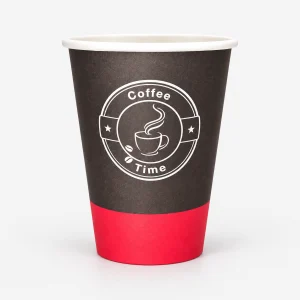
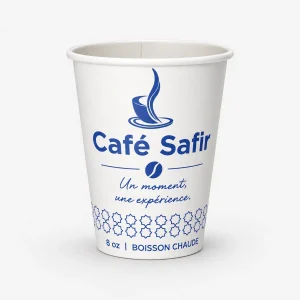
Customers rarely view a paper cup as a flat poster. Part of the artwork sits around the side, and a hand may cover part of the design. Put essential information where it remains easy to recognize, then review the cup from more than one angle.
Sometimes the logo and business name are enough. A long service list, several social handles and a full street address may compete with each other. Give any additional message a clear purpose, such as introducing a campaign, identifying a specialty or inviting customers to learn more about your business.
Request the artwork template for the selected product before completing a production file. Dimensions, layout instructions and areas to keep clear should come from the supplier. A product photograph or a template from another manufacturer cannot establish those requirements for your order.
Use Design My Cup to develop the idea
ASWAL’s Design My Cup tool lets you prepare a visual concept with your logo. Use it to explore placement, get feedback from your team and show ASWAL what you want the finished design to communicate.
Treat the preview as a discussion aid. It does not replace a review of the colours, production file or printing requirements. An image on a screen should not be treated as a guarantee of the physical result or as authorization to start production.
Save the version you prefer and record the cup size it represents. If you are comparing two options, explain the difference you are trying to achieve. That is more useful than sending several similarly named files without identifying which elements are approved and which are still open for discussion.
Request a quote with the project details attached
A useful quote connects the commercial information to the correct artwork. Include the product references under consideration, the number of sizes, your requested quantities and the delivery location. State the date you expect to use the cups so that feasibility can be discussed.
Explain whether the order is for an opening, an event or ongoing service. This context helps frame the conversation about ordering and replenishment without assuming a lead time or minimum quantity. Our guide to planning a custom cup order for a Montreal café provides another practical checklist.
Ask how artwork changes will be handled once the quote has been prepared. If you change the number of sizes, the design or the quantity, confirm whether the original proposal still applies. Keeping those decisions together makes the final approval easier to follow.
Review before approving
Read the artwork at its intended size. Check spelling, contact details, product references, logo orientation and file version. If the design includes a scannable code, ask how its readability will be checked on the actual cup rather than relying only on a screen preview.
Keep the accepted quote, selected references, approved files and reorder instructions together. For the next order, say whether everything should remain the same or identify the changes explicitly. A well-labelled approval record helps prevent an outdated tagline or superseded logo from being used again.
Turn the concept into a clear order request
A strong custom cup project combines a suitable container, readable artwork and a clear approval process. Start your concept in Design My Cup, then request an ASWAL quote with the formats and files you have selected. That gives the conversation a concrete starting point while leaving the production arrangements to be confirmed for your order.